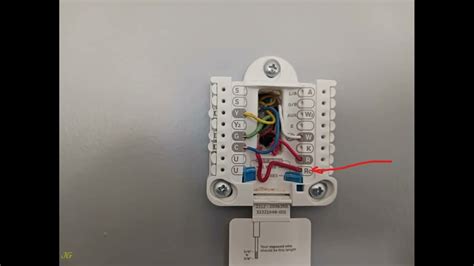
Welcome to our blog post on Amazon smart thermostat installation! In this guide, we will walk you through the process of installing and setting up your new smart thermostat from Amazon. With the advancement of technology, smart thermostats have become increasingly popular due to their energy-saving capabilities and convenience. Whether you are a tech-savvy homeowner or just looking to upgrade your home's heating and cooling system, this article will provide you with all the information you need to successfully install your Amazon smart thermostat.
Before we dive into the installation process, let's take a moment to understand what a smart thermostat is and how it can benefit you. A smart thermostat is a device that allows you to control the temperature of your home remotely using a smartphone app or voice commands. It connects to your home's Wi-Fi network and can be programmed to adjust the temperature based on your preferences and schedule. This not only saves energy but also provides you with greater control over your home's climate.
Topic 1: Checking Compatibility
Before purchasing an Amazon smart thermostat, it is crucial to check the compatibility with your heating and cooling system. Not all HVAC systems are compatible with smart thermostats, so it's essential to ensure a seamless installation process. To check compatibility, start by identifying the type of HVAC system you have, such as a central heating and cooling system, heat pump, or boiler. Once you know your system type, refer to the manufacturer's specifications of the smart thermostat to see if it supports your HVAC system.
If you are unsure about the compatibility, it is recommended to consult a professional HVAC technician who can assess your system and guide you in choosing the right smart thermostat for your home. Investing time and effort in checking compatibility will save you from any potential installation issues and ensure a smooth transition to a smart home heating and cooling system.
Topic 2: Gathering Tools and Materials
Before starting the installation process, gather all the necessary tools and materials. Here is a list of commonly required items for installing an Amazon smart thermostat:
Tools:
- Screwdriver (Phillips and flathead)
- Drill (if required for mounting)
- Wire strippers
- Wire nuts
Materials:
- Amazon smart thermostat
- Thermostat base plate
- Mounting screws
- Wire labels
Having all the necessary tools and materials prepared beforehand will make the installation process much more efficient and hassle-free. It's always better to be prepared than to run into issues midway through the installation.
Topic 3: Removing the Old Thermostat
Now that you have ensured compatibility and gathered all the required tools and materials, it's time to remove the old thermostat. Follow these steps:
- Turn off the power to your heating and cooling system at the circuit breaker.
- Remove the thermostat cover by gently pulling it away from the wall.
- Take a picture or make note of the existing wiring connections for future reference.
- Disconnect the wires from the old thermostat by unscrewing the terminal screws.
- Remove the old thermostat from the wall.
Be cautious while handling the old thermostat and wires to avoid any damage. It's always a good idea to refer to the manufacturer's instructions specific to your old thermostat for any additional steps or precautions.
Topic 4: Installing the Amazon Smart Thermostat
Now that you have successfully removed the old thermostat, it's time to install the new Amazon smart thermostat. Follow these steps:
- Attach the thermostat base plate to the wall using the provided mounting screws.
- Connect the wires from your HVAC system to the corresponding terminals on the thermostat base plate. Refer to the wire labels or the picture/note you took earlier for guidance.
- Tighten the terminal screws to secure the wires in place.
- Attach the Amazon smart thermostat to the base plate by aligning the connectors and gently pressing it into place.
- Restore power to your heating and cooling system at the circuit breaker.
Once the installation is complete, follow the manufacturer's instructions to set up your Amazon smart thermostat using the accompanying smartphone app or voice commands. This will involve connecting the thermostat to your home's Wi-Fi network and configuring your desired temperature settings and schedule.
Conclusion
Installing an Amazon smart thermostat can significantly enhance your home's energy efficiency and comfort. By checking compatibility, gathering the necessary tools and materials, removing the old thermostat, and installing the new smart thermostat, you can experience the benefits of a connected and automated heating and cooling system. Take the time to familiarize yourself with the installation process and follow the manufacturer's instructions for a seamless installation experience. Enjoy the convenience and control offered by your new Amazon smart thermostat!
Summary:
| Topics Covered | Steps |
|---|---|
| Checking Compatibility | 1. Identify HVAC system type 2. Refer to manufacturer's specifications |
| Gathering Tools and Materials | 1. Screwdriver 2. Drill (if required) 3. Wire strippers 4. Wire nuts 5. Smart thermostat and base plate 6. Mounting screws 7. Wire labels |
| Removing the Old Thermostat | 1. Turn off power 2. Remove thermostat cover 3. Take picture/note of wiring 4. Disconnect wires 5. Remove old thermostat |
| Installing the Amazon Smart Thermostat | 1. Attach base plate 2. Connect wires 3. Tighten terminal screws 4. Attach smart thermostat 5. Restore power |
